




Requirements
- Payment reconciliation is included in the PRO plan.
- The QR bill is enabled. Payments are matched using the payment reference and the IBAN of the property.
- Administrators and the owner of the workspace can import.
Import payments
- In your bank's e-banking, download the credit advices as a camt.054 file (XML).
- In SchäferStrom, open Invoices and click Import payments.
- Choose the file and click Import.
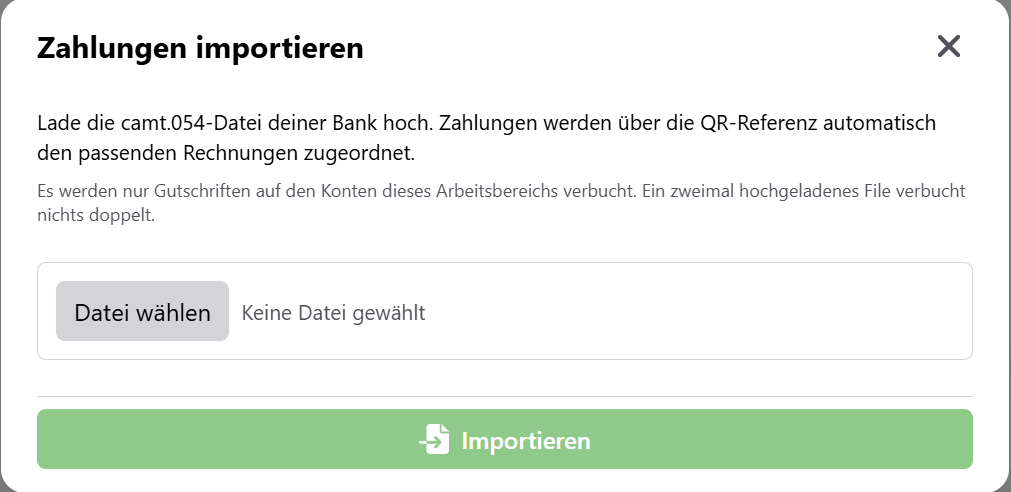
The result shows you what happened with each payment:
| Result | Meaning |
|---|---|
| Paid | The invoice has been paid in full. |
| Partial payment | Part of the amount has been received. |
| Overpaid | More was paid than was owed. |
| Unmatched | No matching invoice was found. |
| Already booked | This payment was already imported earlier. |
| Wrong currency | The currency does not match the invoice. |
The import applies to the whole workspace. If you upload the same file twice, nothing is booked twice. A file may be at most 10 MB in size.
Payment overview
After the first import, the Payments item appears in the menu. There you see all incoming payments with amount, date, payer and assigned invoice.
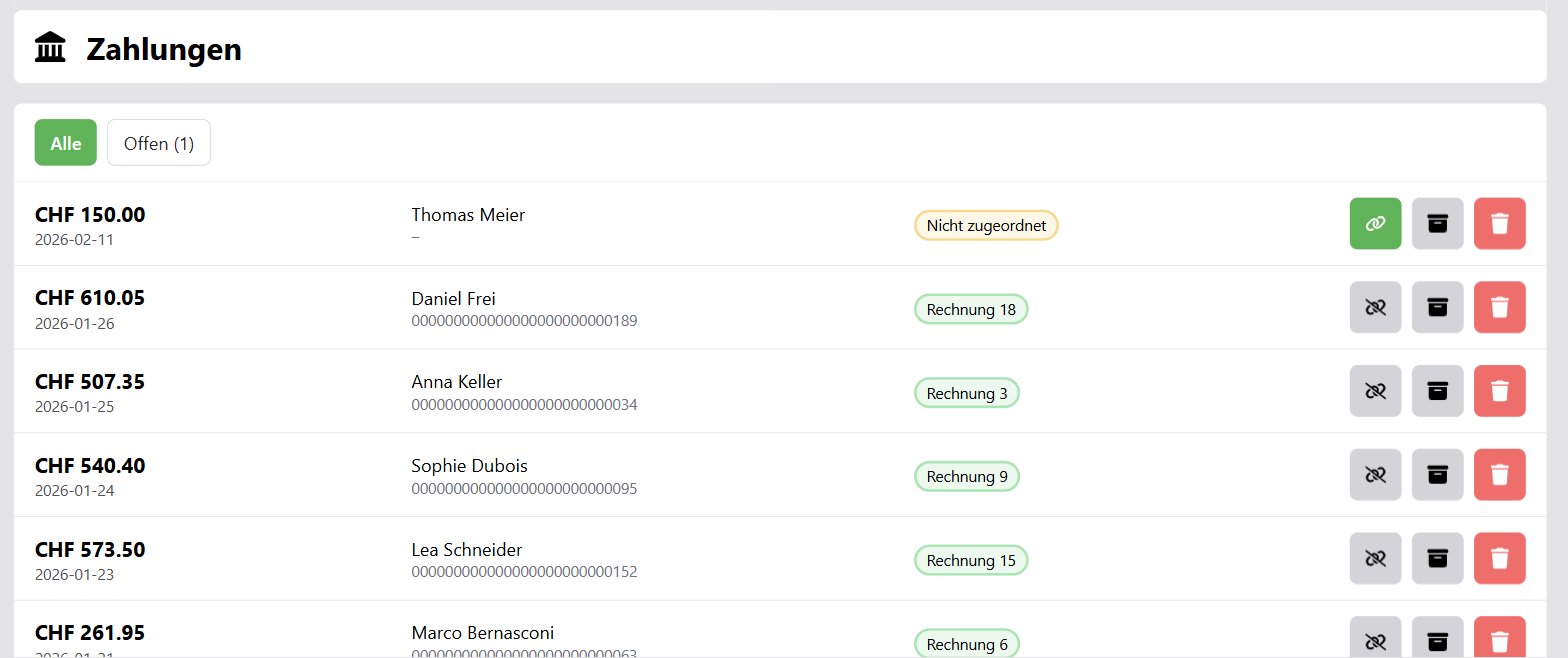
With the filters All, Open and Archive you narrow down the list. Under Open you find payments that are not yet assigned to an invoice.
Assign a payment manually
If a payment could not be matched automatically, for example because the tenant transferred the money without a reference:
- Click Assign invoice for the payment.
- Search for the invoice by invoice number or tenant. Only open invoices are shown, with their open amount.
- Click Assign.
With Remove assignment you undo an incorrect assignment.
Archive and delete
- Archive payment moves the payment to the archive. The invoice status is recalculated.
- Restore payment restores it.
- Delete payment permanently removes it irreversibly.
Invoice status
After every import and every assignment, SchäferStrom recalculates the invoice status: Paid when nothing is open any more, Partially paid for a partial amount and Overpaid when too much has been received. You pay back an overpayment with a refund.
Without payment reconciliation, you simply set the status of a paid invoice to Paid manually.