



Open your account
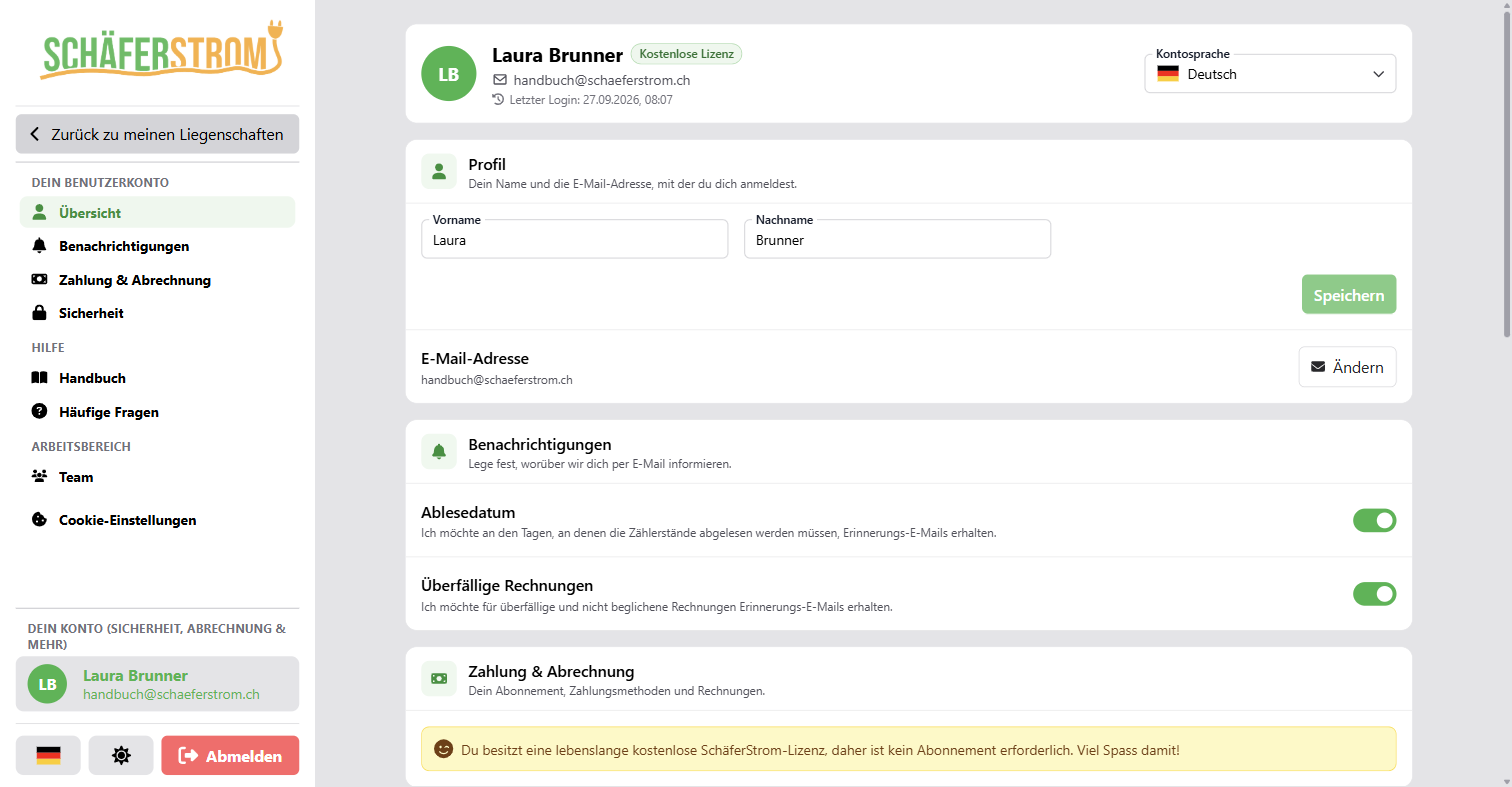
Click your name at the bottom of the menu. There you will find all the settings for your user account.
Profile and language
- Under Profile you change your first name and last name.
- The Account language determines the language of the app and of the emails you receive from us.
Change your email address
- Next to Email address, click Change.
- Enter the new address and your password and click Send confirmation.
- Within 2 hours, click the link in the email sent to the new address.
Until you confirm, you continue to sign in with your previous address. As long as the change is pending, you can cancel it.
Change your password
Under Account security > Change password you enter your current and your new password. For security reasons, you are then signed out on all devices, including the current one.
If you have forgotten your password, click Forgot password? on the sign-in page. The reset link is valid for 4 hours.
Two-factor authentication
With two-factor authentication, you also need a code from an authenticator app when signing in, for example Google Authenticator, 1Password or Authy.
- Under Account security > Two-factor authentication, click Start setup.
- Scan the QR code with your app or enter the key manually.
- Confirm with the 6-digit code from the app.
- Store the Backup codes in a safe place. You only see them this one time.
You use a backup code to sign in if you do not have access to your app. Each code works exactly once. If you are running low on codes, you create new ones under Manage.
Sessions
Under Manage sessions you can see which devices you are signed in on. You can end individual sessions or sign out everywhere with Sign out from all devices.
Notifications
| Notification | When |
|---|---|
| Reading date | On 30 June and 31 December as a reminder to read the meters. |
| Overdue invoices | 7, 14 and 30 days after the due date of an open invoice. Details in the chapter Invoices. |
Both notifications are switched on by default and can be switched off individually.
Your data
Under Your data you can see which data we store for your account. With Request data you receive a copy within 30 days. You can find all the details in the privacy policy.
Delete your account
Under Danger zone > Delete account you delete your account. To confirm, type DELETE in the field. Any active subscription is cancelled immediately. This action cannot be undone.
Before deleting, download all invoices and exports you need for your own records.