



Set the tariff
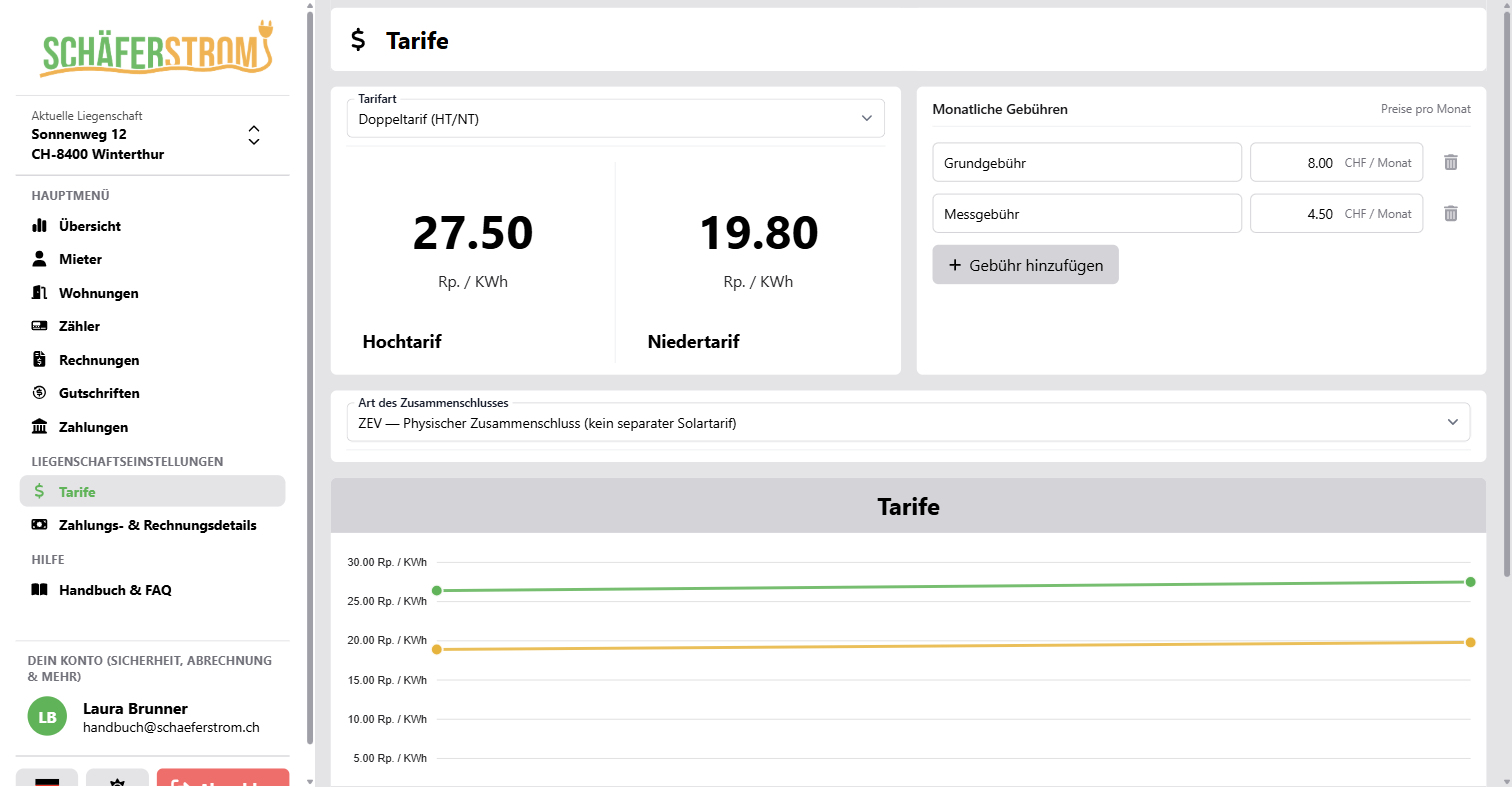
Open Tariffs in the menu under Property settings. Only administrators and the owner of the workspace can edit tariffs.
- Choose the Tariff type:
- Single tariff: one price for all consumption.
- Dual tariff (peak/off-peak): separate prices for the high tariff and the low tariff.
- Enter the price in Rp./kWh (for properties in EUR, in cents/kWh).
- Click Save.
Monthly fees
Under Monthly fees you enter fixed amounts per month, for example a base fee or a metering fee. You can add as many fees as you like, each with a description and amount.
On the invoice, each fee is multiplied by the number of months in the billing period. Partial months count as full months. Fees with an amount of 0 do not appear on the invoice.
ZEV or vZEV
In the Self-consumption (ZEV / vZEV) section, under Type of community, you specify how your property is organised:
- ZEV: physical community. All consumption is billed at the normal tariff, and there is no separate solar tariff.
- vZEV: virtual community with a separate solar tariff. Here you additionally enter:
- Solar tariff: price for the solar power from self-consumption
- VNB reference tariff: tariff of the distribution system operator for comparison
- Allocation method: how the solar power is allocated to the buildings
The solar tariff must be lower than the reference tariff. If it is above 80 percent of the reference tariff, the app shows you a notice (Art. 16 EnV).
For vZEV, SchäferStrom does not calculate the allocation of the solar power itself. You enter the solar share per building in kWh when you enter the meter reading or create the invoice.
As soon as you choose vZEV, apartments are called Buildings and tenants are called Participants throughout the property.
Change tariffs
Each save creates a new tariff version. Earlier versions remain visible as history and also appear in the chart on the overview.
- New invoices always use the latest tariff version.
- Invoices that have already been created do not change.
- There are no validity dates. If you want to use a new tariff from a cut-off date, first bill all meter readings up to that day and then save the new tariff.
Without a tariff you cannot create an invoice. In that case, the app automatically takes you to this page.